RETRO CRT_

RETRO CRT_

The look of an old phosphor monitor for Windows Terminal: four profiles with CRT shaders, phosphor color schemes and classic terminal fonts. One script installs everything on a clean Windows.

Wygląd starego monitora z luminoforem w Windows Terminal: cztery profile z shaderami CRT, fosforowymi schematami kolorów i klasycznymi czcionkami terminalowymi. Jeden skrypt instaluje wszystko na czystym Windowsie.

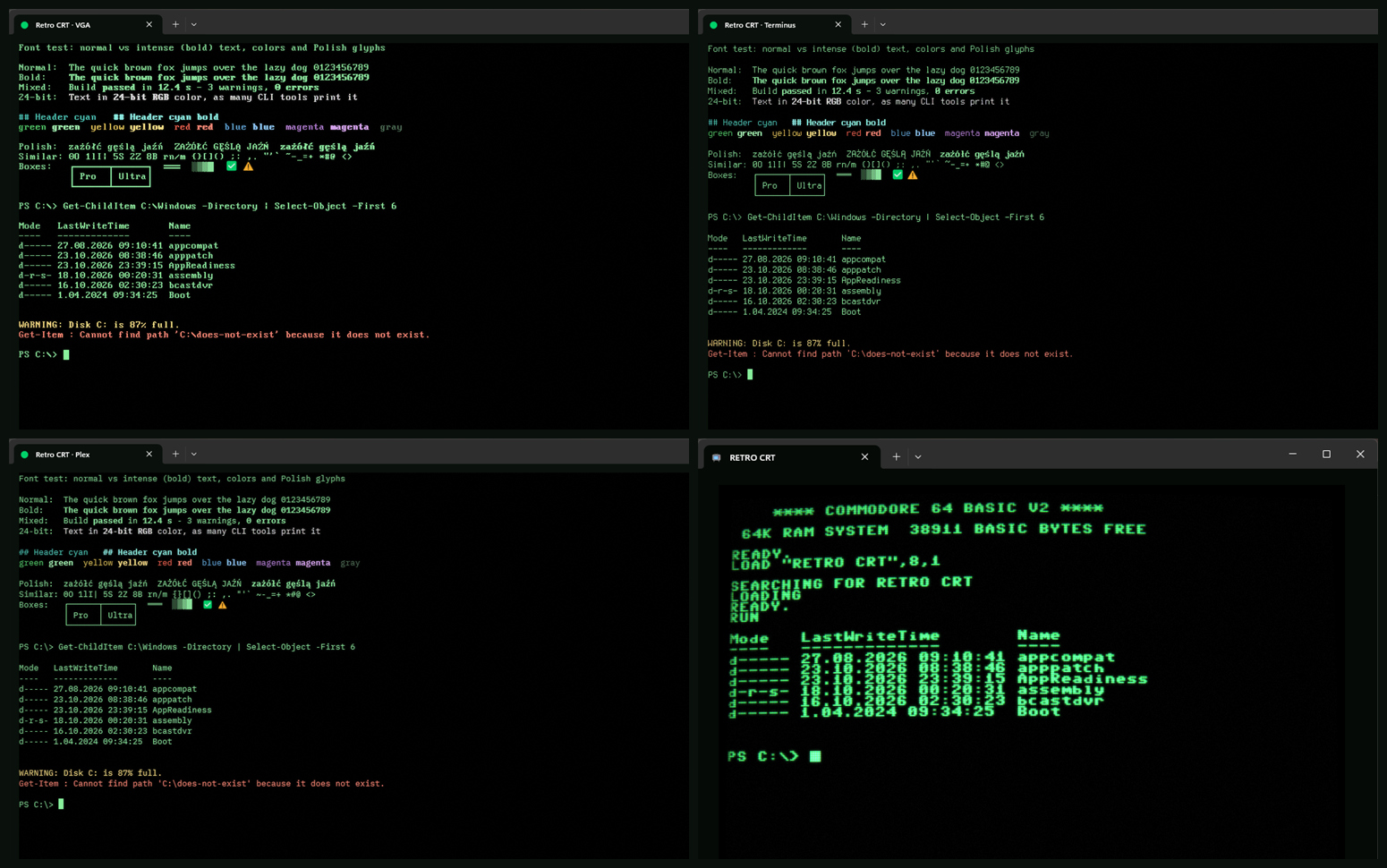
Four Retro CRT profiles side by side: VGA, Terminus, Plex and C64

ProfilesProfile

Retro CRT · VGA profile
everydayna co dzień

Retro CRT · VGA

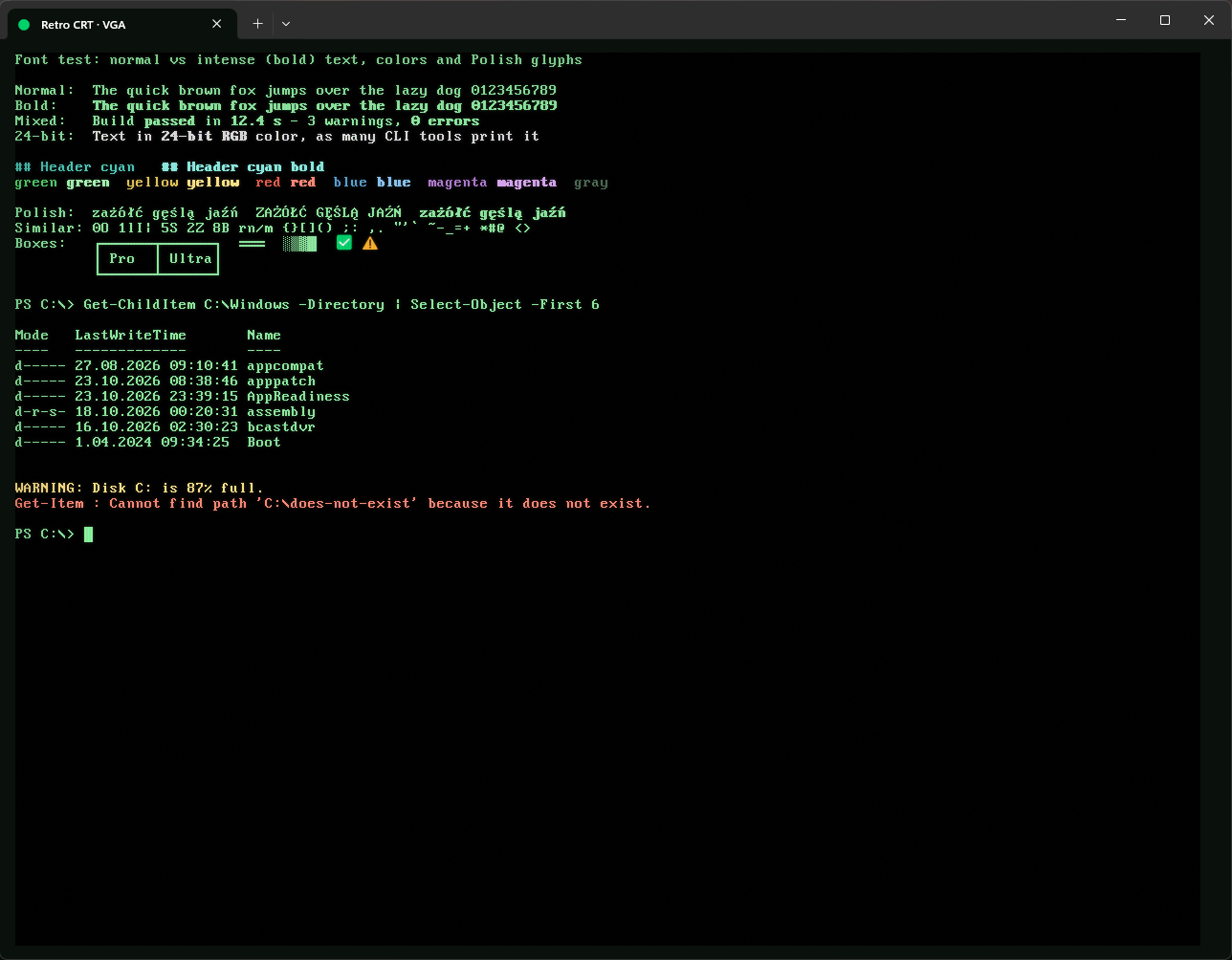
PxPlus IBM VGA 9x16, the original IBM VGA text mode font, pixel-perfect at 12 pt. Faint scanlines and phosphor glow. The most faithful DOS look.

PxPlus IBM VGA 9x16, oryginalna czcionka trybu tekstowego IBM VGA, piksel w piksel przy 12 pt. Delikatne linie skanowania i poświata luminoforu. Najwierniejszy wygląd DOS-a.
Retro CRT · Terminus profile
everydayna co dzień

Retro CRT · Terminus

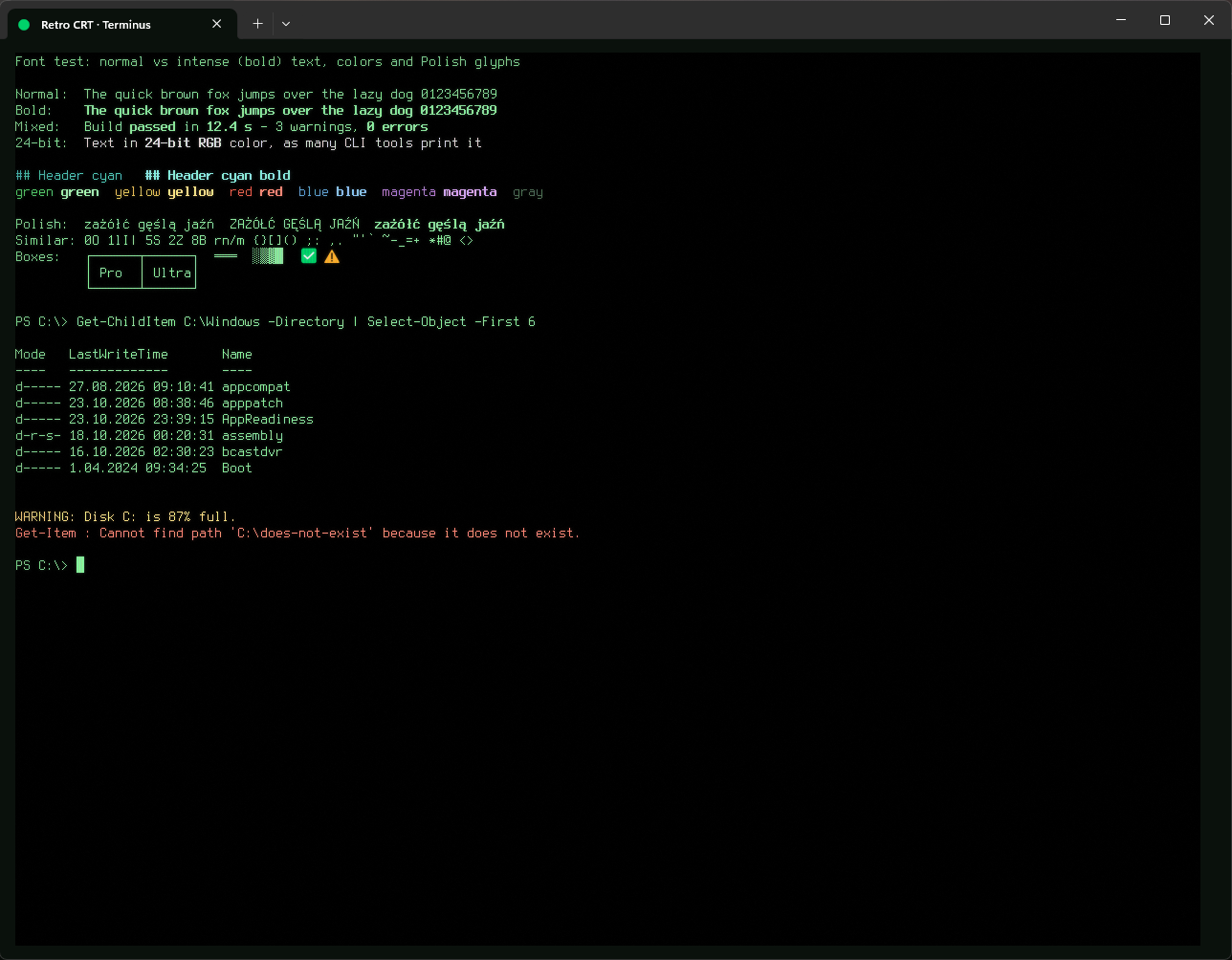
Terminus, the Linux console font made for long work at the computer. Pixel-sharp, with a real hand-drawn bold.

Terminus, czcionka konsoli Linuksa stworzona do długiej pracy przy komputerze. Ostra jak piksele, z prawdziwym, ręcznie rysowanym pogrubieniem.

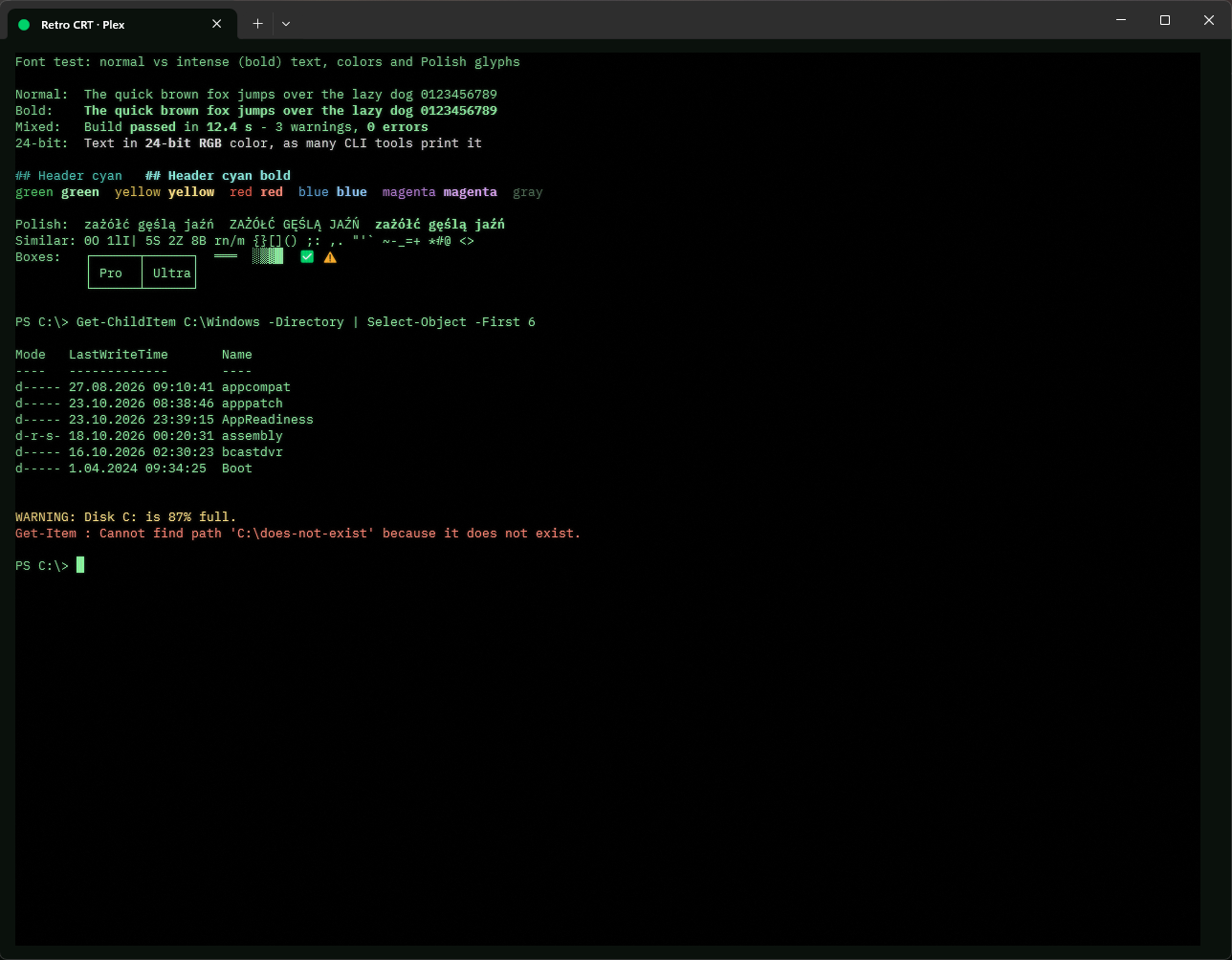
Retro CRT · Plex profile
everydayna co dzień

Retro CRT · Plex

IBM Plex Mono, a smooth vector font in the spirit of IBM machines. The least "pixel" option, with the same phosphor colors.

IBM Plex Mono, gładka czcionka wektorowa w duchu maszyn IBM. Najmniej „pikselowa” opcja, w tych samych fosforowych kolorach.

Retro CRT · C64 profile
for fundla zabawy

Retro CRT · C64

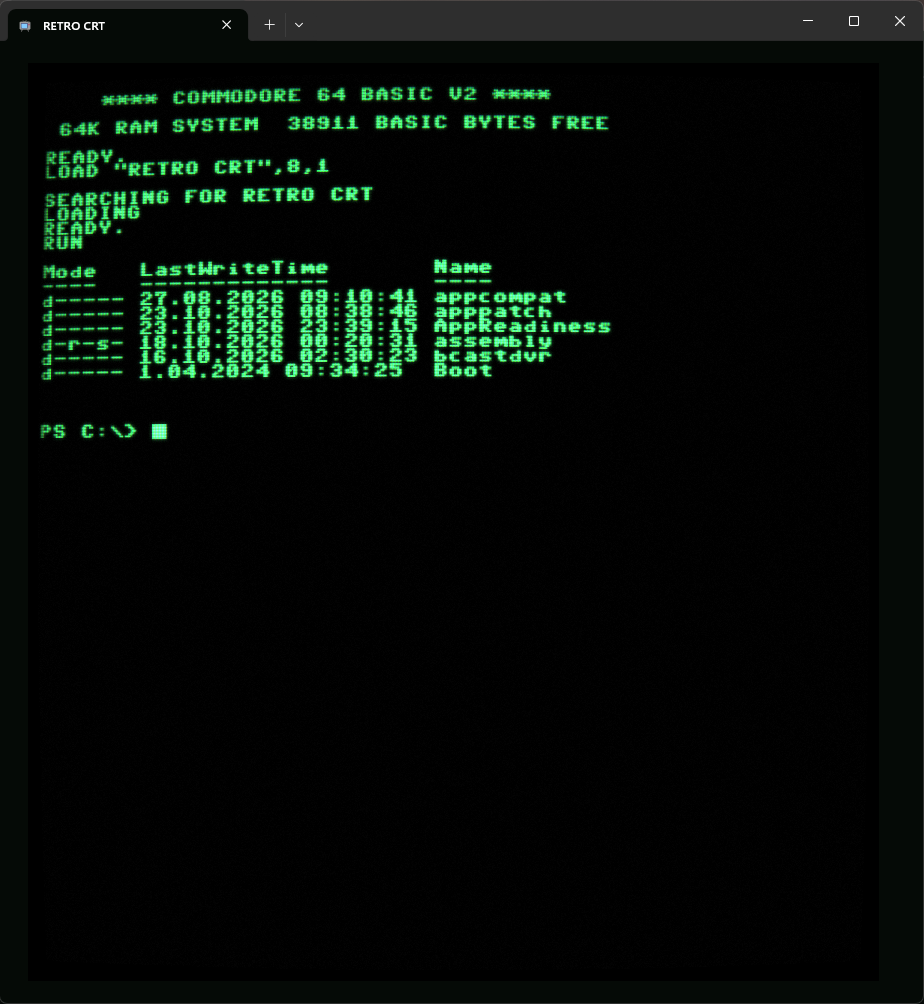
C64 Pro Mono with the full effect: curved glass, strong glow, scanlines, RGB mask, flicker and noise. Runs PowerShell 7.

C64 Pro Mono z pełnym efektem: wypukłe szkło, mocna poświata, linie skanowania, maska RGB, migotanie i szum. Uruchamia PowerShell 7.

The three everyday profiles use phosphor green for regular text, while errors, warnings and git output keep their colors. Their shader never resamples the image, so pixel fonts stay sharp, and it has no animation, so it costs nothing while the screen is idle.

Trzy profile do codziennej pracy wyświetlają zwykły tekst w fosforowej zieleni, a błędy, ostrzeżenia i git zachowują swoje kolory. Ich shader nigdy nie przeskalowuje obrazu, więc czcionki pikselowe pozostają ostre. Nie ma też animacji, więc nie obciąża komputera, gdy ekran stoi.

InstallInstalacja

Windows 10 or 11. Open PowerShell and run:

Windows 10 lub 11. Otwórz PowerShell i uruchom:

git clone https://github.com/raptyk/windows-terminal-retro-crt
cd windows-terminal-retro-crt
powershell -ExecutionPolicy Bypass -File .\install.ps1

No git? Download the ZIP, unpack it and run install.ps1 the same way.

Nie masz gita? Pobierz ZIP, rozpakuj go i uruchom install.ps1 tak samo.

Then close all Windows Terminal windows and start it again: Terminal loads fonts only at startup. The profiles are in the new tab menu.

Potem zamknij wszystkie okna Windows Terminal i uruchom go ponownie: Terminal wczytuje czcionki tylko przy starcie. Profile znajdziesz w menu nowej karty.

What the installer does

Co robi instalator

  1. Installs Windows Terminal and PowerShell 7 when they are missing, with winget or from the official GitHub releases.
  2. Installs the fonts for the current user. Downloads are pinned to a version and verified by SHA256.
  3. Copies the shaders to %LOCALAPPDATA%\Microsoft\Windows Terminal\RetroCRT.
  4. Adds the profiles and color schemes to Terminal's settings.json, after making a backup next to it. Your other settings stay untouched.
  1. Instaluje Windows Terminal i PowerShell 7, jeśli ich brakuje: przez winget albo z oficjalnych wydań na GitHubie.
  2. Instaluje czcionki dla bieżącego użytkownika. Pobierane paczki mają przypiętą wersję i sprawdzaną sumę SHA256.
  3. Kopiuje shadery do %LOCALAPPDATA%\Microsoft\Windows Terminal\RetroCRT.
  4. Dodaje profile i schematy kolorów do settings.json Terminala, wcześniej robiąc obok kopię zapasową. Pozostałe ustawienia zostają nietknięte.

No administrator rights are needed, except when winget installs PowerShell 7. Running the installer again updates an existing installation.

Uprawnienia administratora nie są potrzebne, chyba że winget instaluje PowerShell 7. Ponowne uruchomienie instalatora aktualizuje istniejącą instalację.

The shader effects need GPU acceleration. In virtual machines without a GPU (for example Windows Sandbox with vGPU disabled) the profiles work, but without the CRT effect.

Efekty shaderów wymagają akceleracji GPU. W maszynach wirtualnych bez GPU (na przykład w Windows Sandbox z wyłączonym vGPU) profile działają, ale bez efektu CRT.

UninstallOdinstalowanie

Removes the profiles, color schemes and shaders (with a settings.json backup). Add -RemoveFonts to remove the fonts too.

Usuwa profile, schematy kolorów i shadery (z kopią zapasową settings.json). Dodaj -RemoveFonts, aby usunąć także czcionki.

powershell -ExecutionPolicy Bypass -File .\uninstall.ps1
powershell -ExecutionPolicy Bypass -File .\uninstall.ps1 -RemoveFonts

TipsWskazówki

Font test

Test czcionek

Run it in any profile to compare normal and bold text, colors, Polish characters and look-alike glyphs:

Uruchom w dowolnym profilu, żeby porównać zwykły i pogrubiony tekst, kolory, polskie znaki i podobne do siebie znaki:

powershell -ExecutionPolicy Bypass -File .\tools\font-test.ps1

Tweaking the effect

Strojenie efektu

Edit the constants at the top of shaders\crt-daily.hlsl or shaders\crt.hlsl (for example SCANLINE_STRENGTH, GLOW_STRENGTH) and run the installer again.

Zmień stałe na początku pliku shaders\crt-daily.hlsl albo shaders\crt.hlsl (na przykład SCANLINE_STRENGTH, GLOW_STRENGTH) i uruchom instalator ponownie.

Pixel fonts need their native size

Czcionki pikselowe potrzebują natywnego rozmiaru

PxPlus and Terminus are drawn on a 16 px grid. Use 12 pt (16 px at 100% scaling) or 24 pt; other sizes blur them.

PxPlus i Terminus są rysowane na siatce 16 px. Używaj 12 pt (16 px przy skalowaniu 100%) albo 24 pt; inne rozmiary je rozmywają.

Fonts and licensesCzcionki i licencje

FontCzcionka LicenseLicencja How it gets to youSkąd się bierze
PxPlus IBM VGA / EGA (VileR) CC BY-SA 4.0 included in the repositorydołączona do repozytorium
C64 Pro Mono (Style64) Style64 downloaded from style64.orgpobierana ze style64.org
Terminus (TTF) SIL OFL 1.1 downloaded during installpobierana podczas instalacji
IBM Plex Mono SIL OFL 1.1 downloaded during installpobierana podczas instalacji